Crew Chat
Real-time communication for Ignition Perspective
A chat module that runs inside your Ignition Perspective screens. Operators, maintenance, and management communicate directly through the HMI - no separate app needed.
The Challenge
Communication Gaps Cost You
Without Crew Chat
- Critical shift notes get lost or forgotten
- Operators use personal phones to share photos and videos
- No audit trail for incident communication
- Maintenance and operators work in silos
- Institutional knowledge walks out the door
With Crew Chat
- Every note is captured and searchable
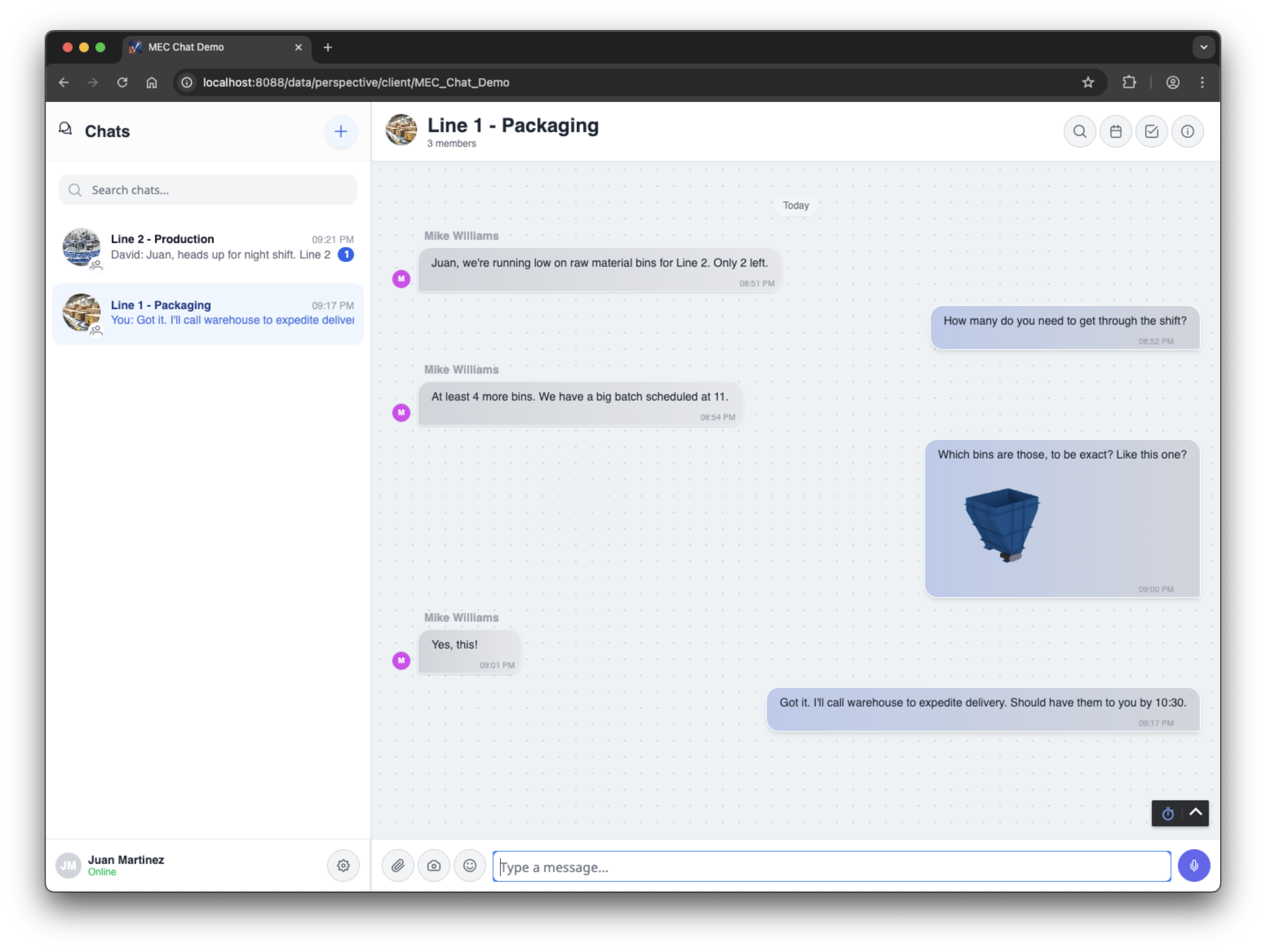
- Share photos and videos directly through the HMI
- Complete audit trail for compliance
- Teams coordinate in real-time
- History becomes permanent documentation
Why Crew Chat
What Sets Us Apart
No Internet Required
Most chat apps need the internet to work. Crew Chat doesn't. It runs on your plant network, so your messages stay inside your facility.
- Works even when internet is down
- No monthly subscriptions to outside services
- Your messages stay on your servers
- Optional cloud DB for remote storage
Photo & Video Direct from Device
Snap a photo or record a video directly from your iPad, tablet, or phone. No app switching, no file transfers - capture issues right on the plant floor.
- Tap to capture from any device camera
- Share instantly - everyone sees it immediately
- Document equipment issues visually
- Admin-controlled for security
Latest Release
New in Crew Chat
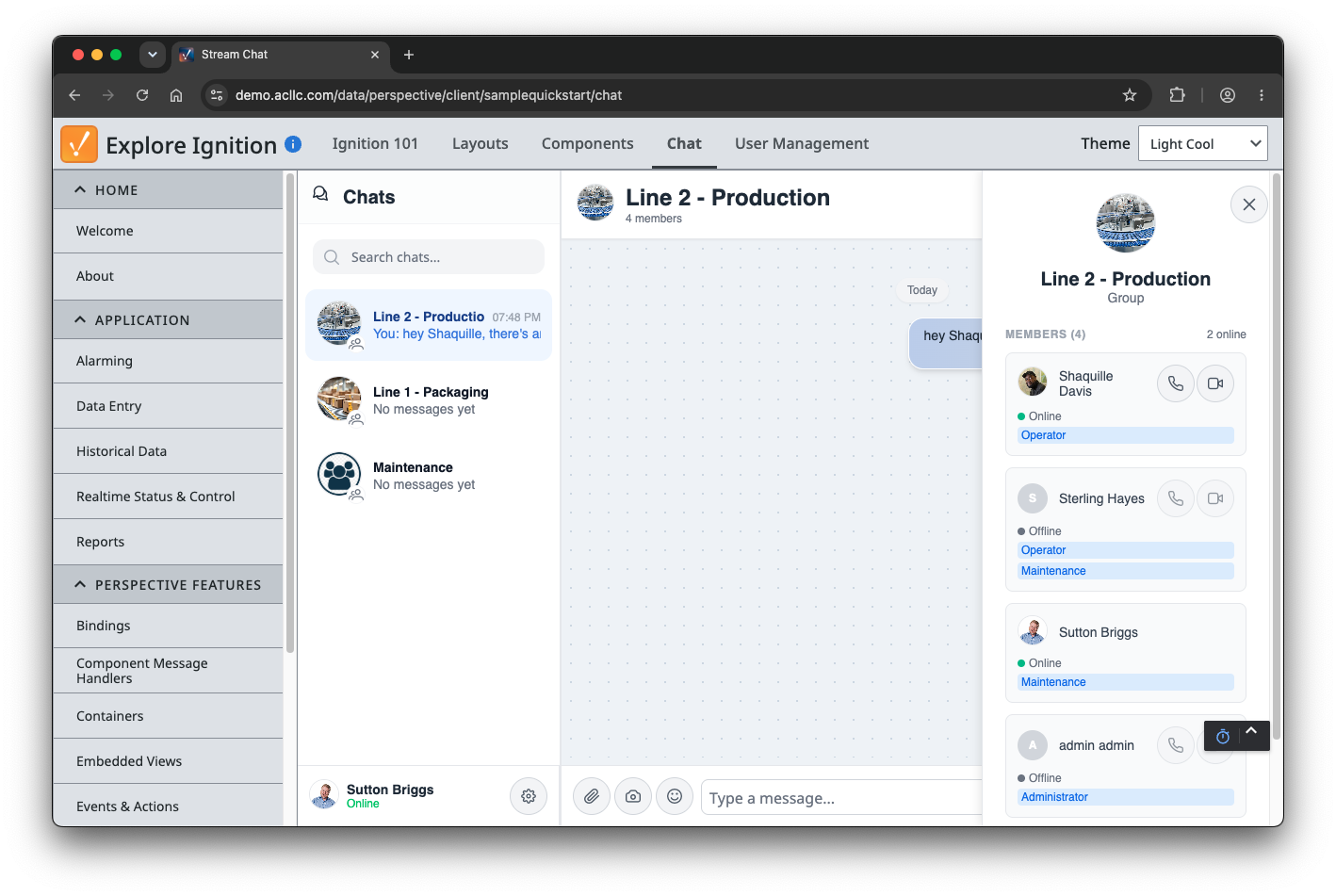
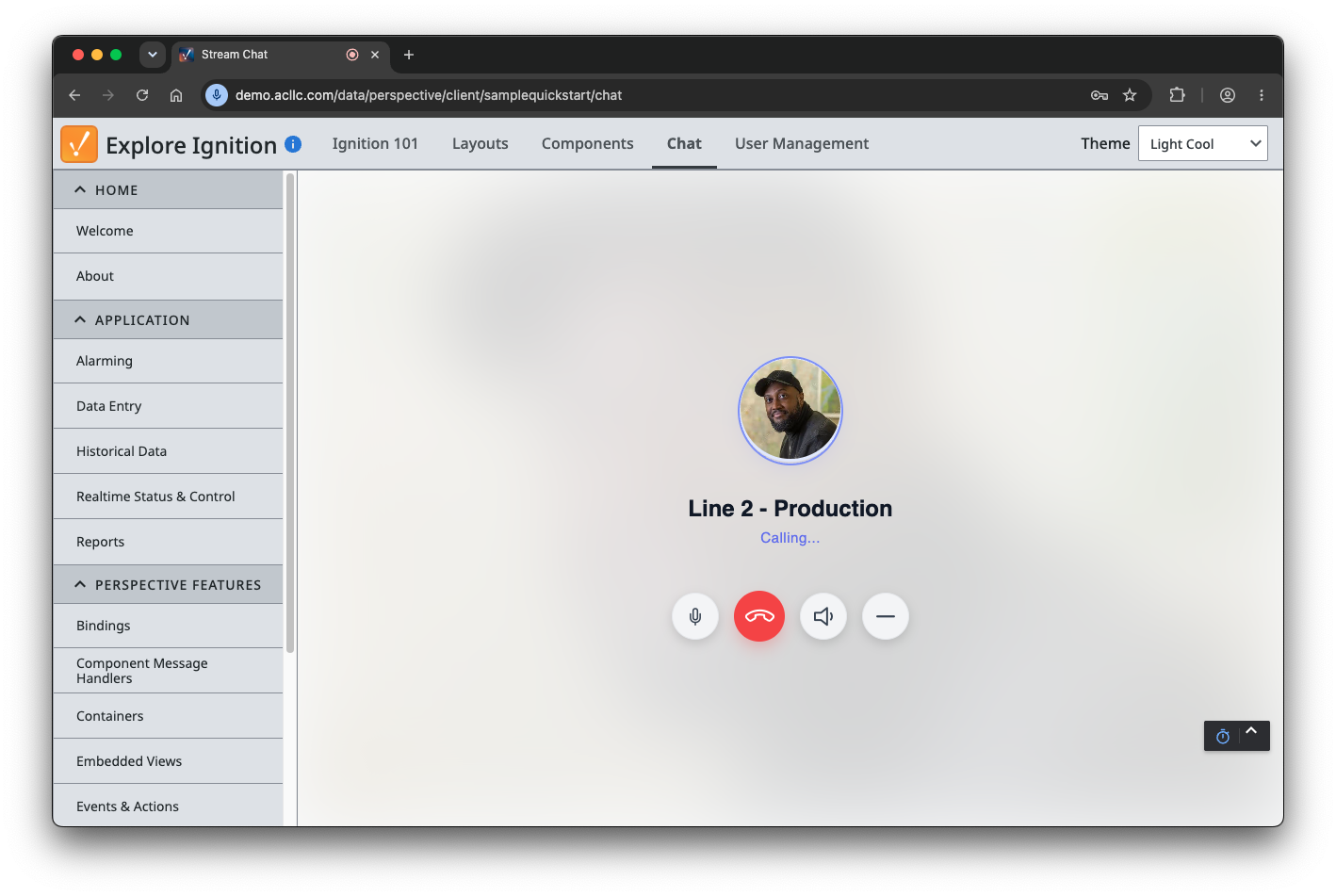
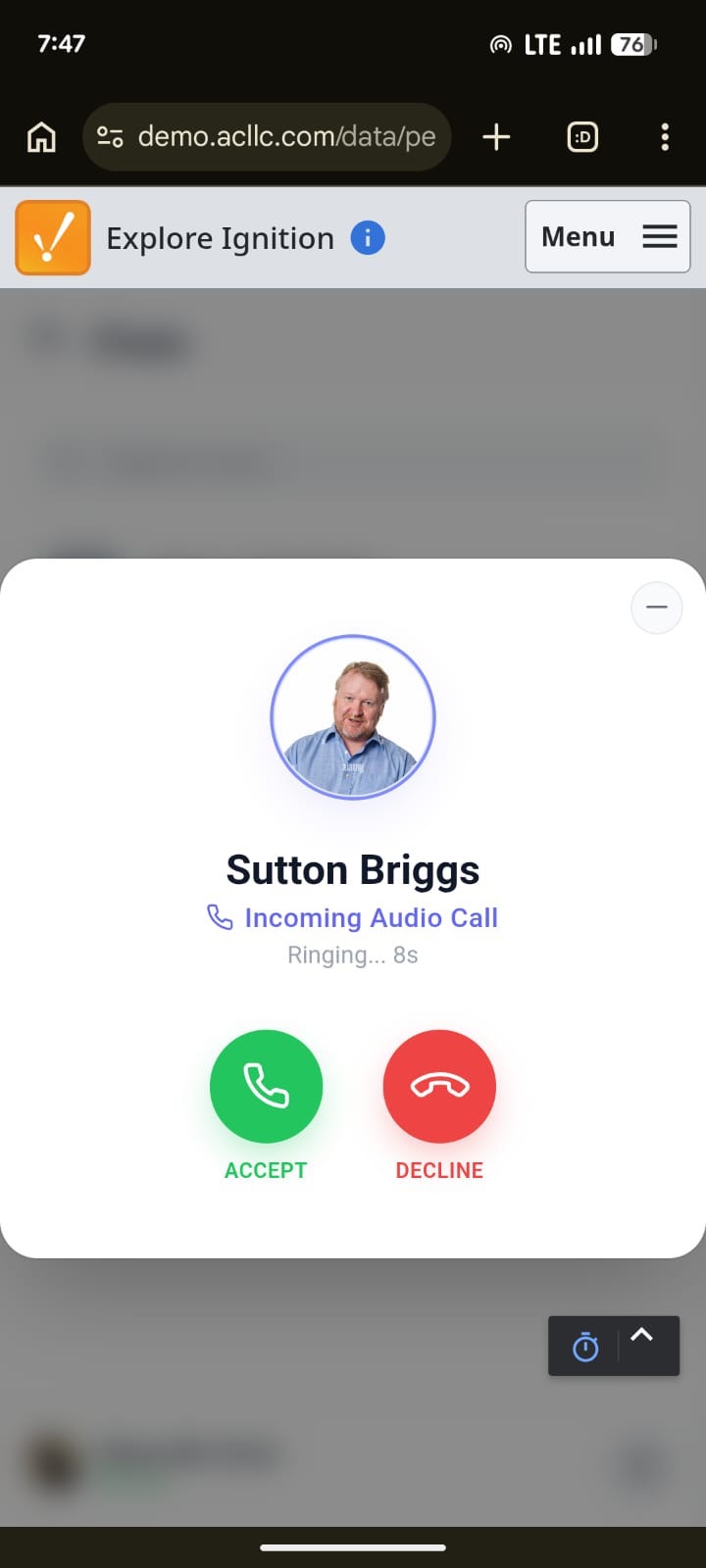
Voice & video calling and built-in user management - included with every license.
Voice & Video Calling
Talk it through without leaving the HMI. Start a voice or video call with any teammate straight from a chat, and take calls on workstations, tablets, or phones - anywhere your Ignition HMI runs.
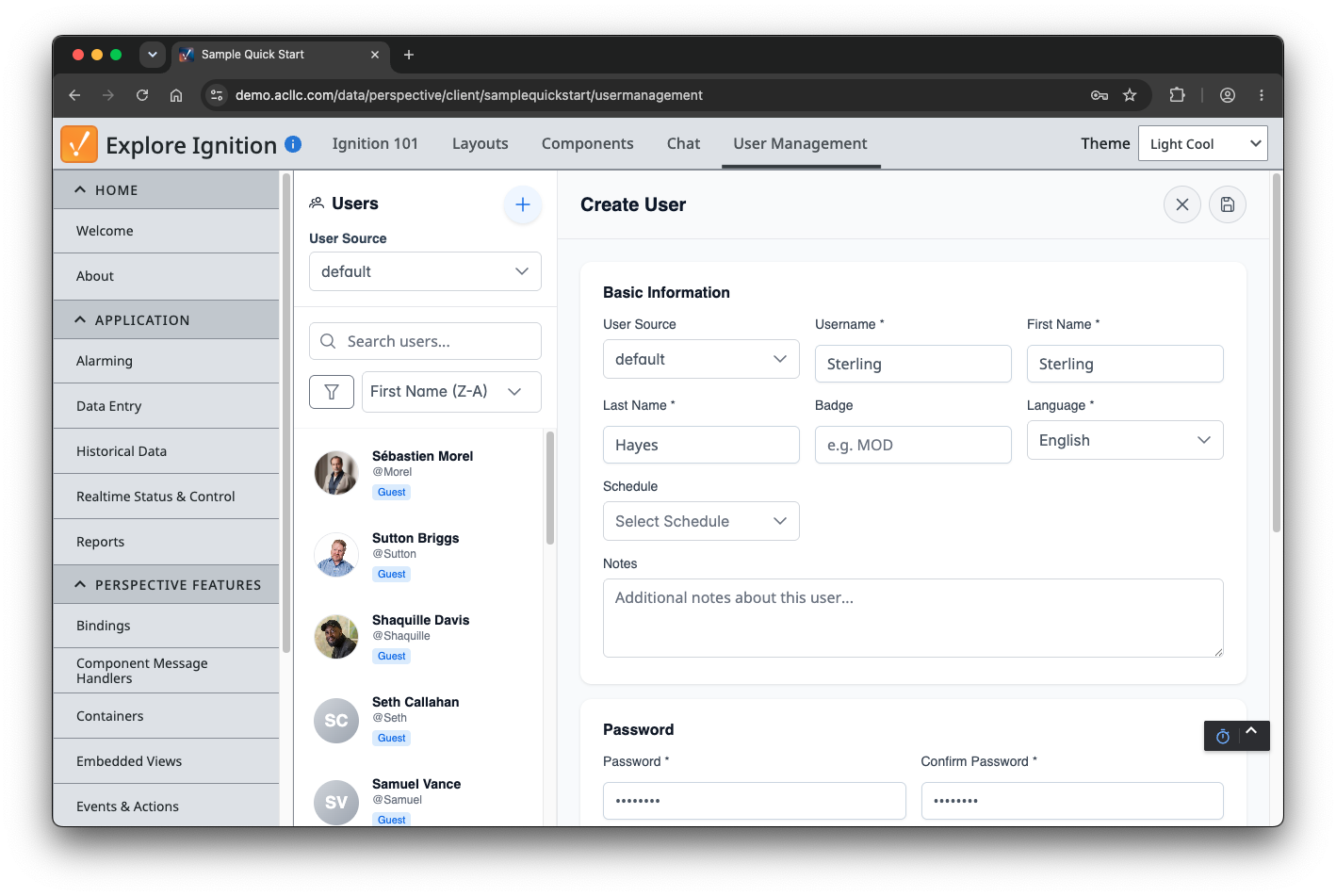
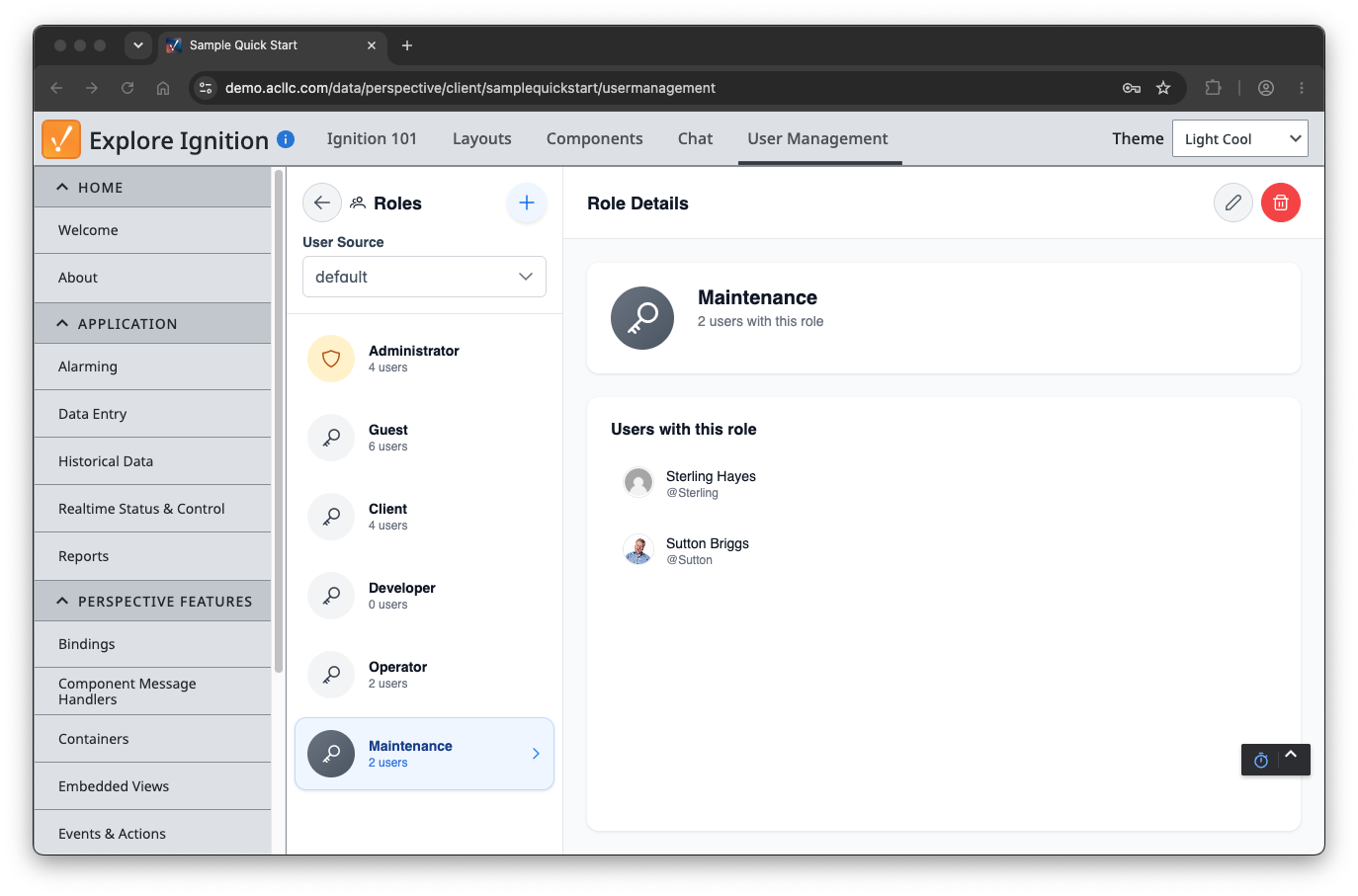
Built-In User Management
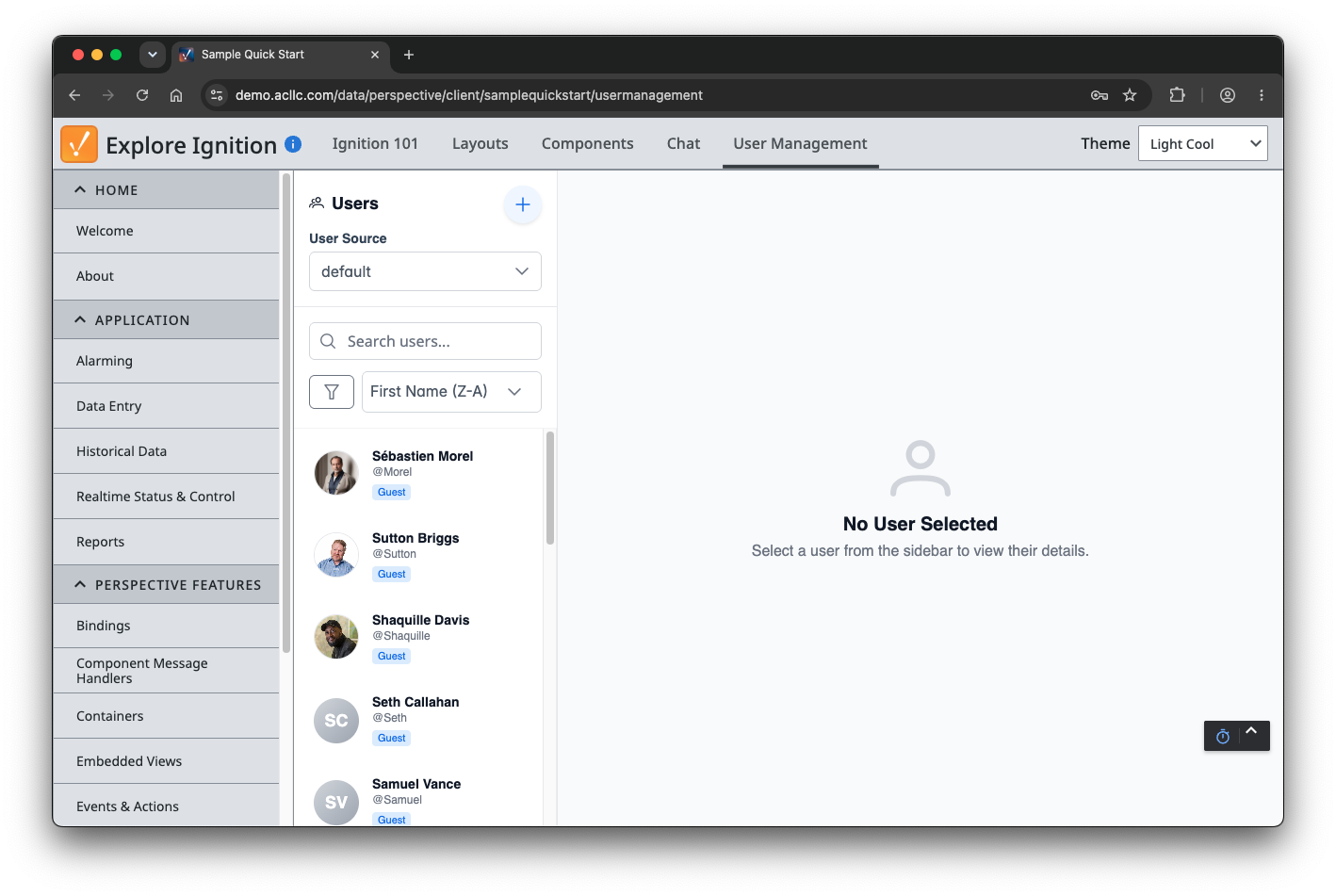
Manage your Ignition users and roles right from a Perspective screen. Add users, set passwords and contact info, and organize role assignments - no trips to the Gateway config pages.
Take a Look Inside
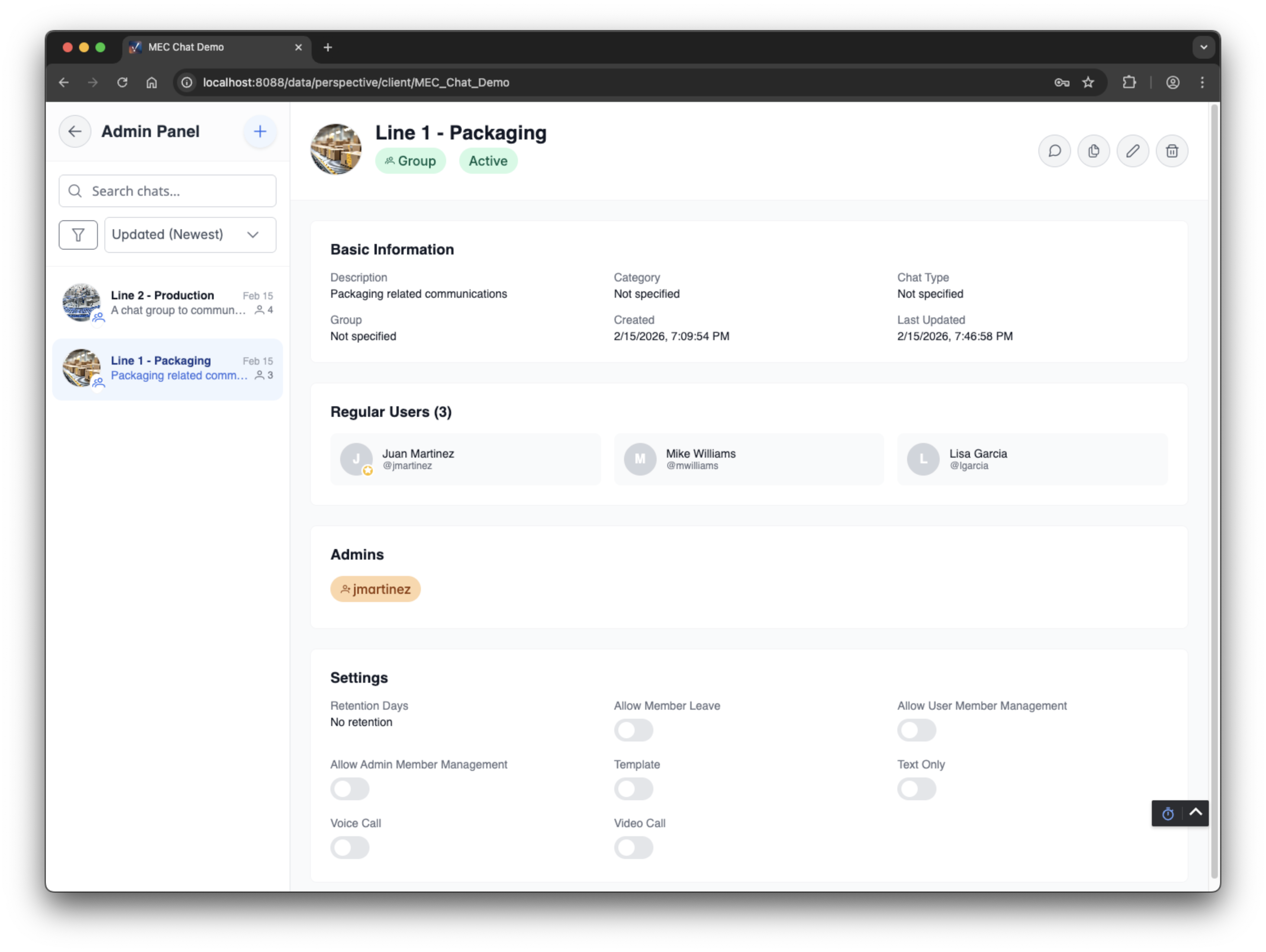
Admin Panel
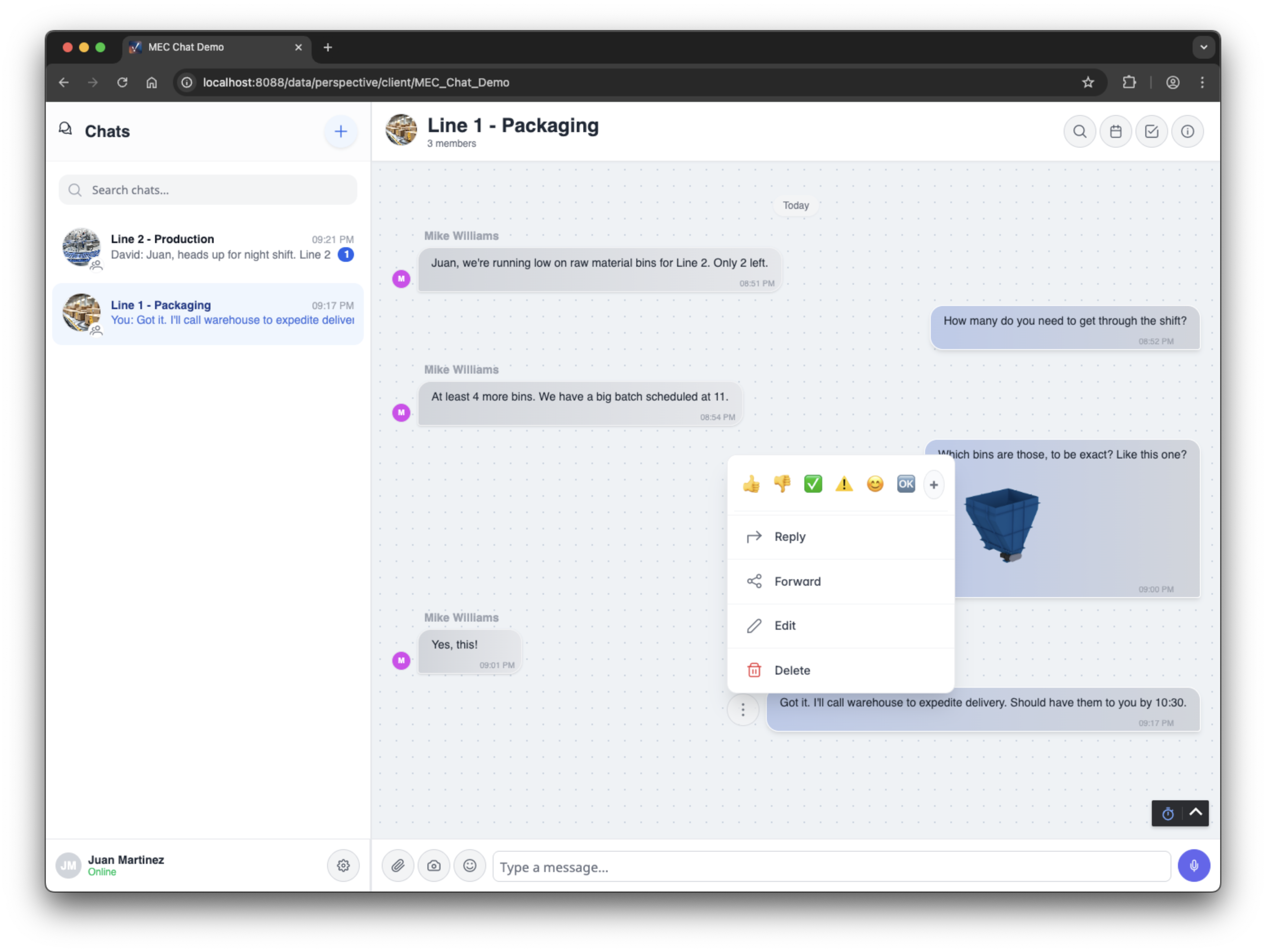
Message Actions
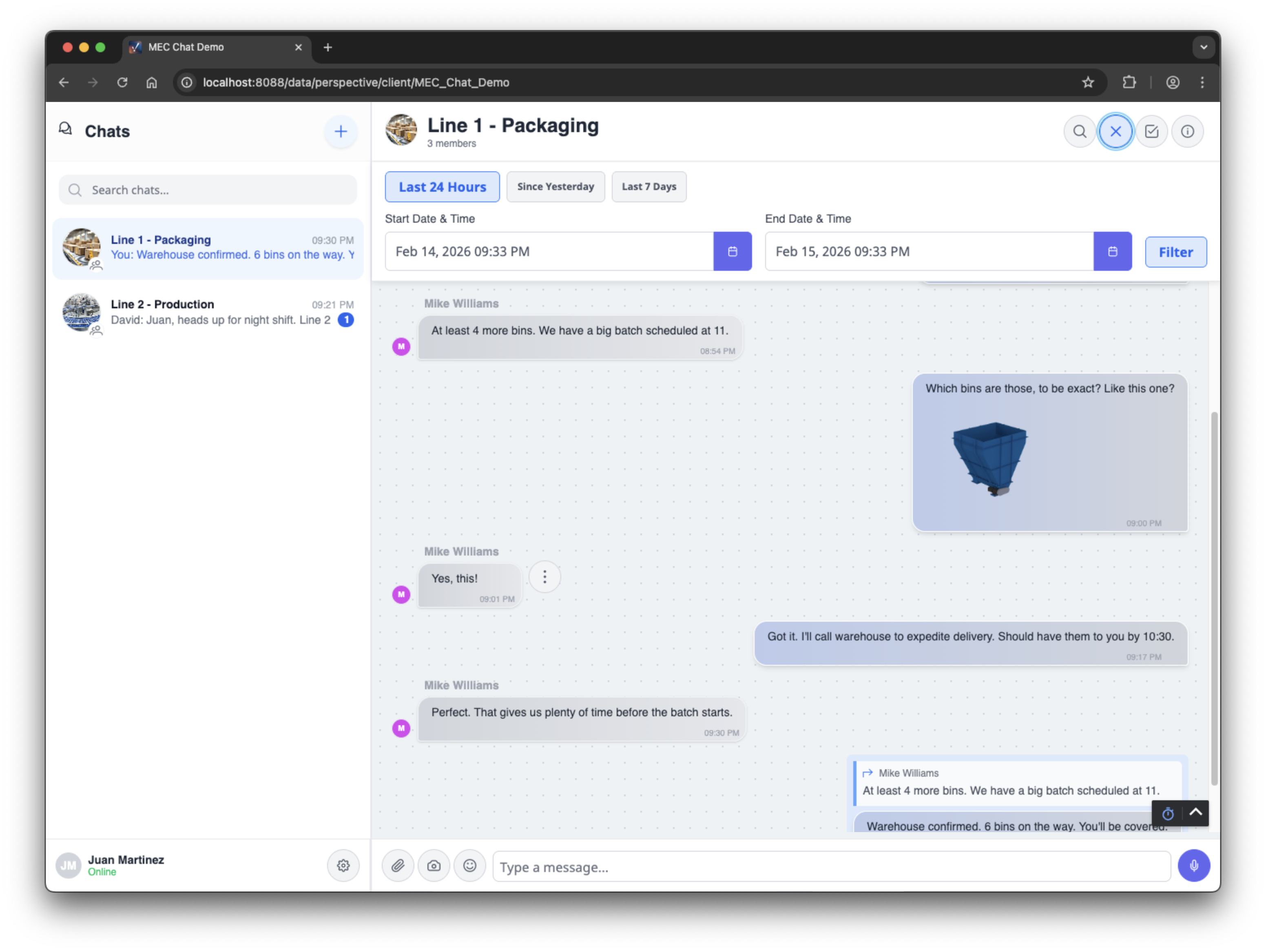
Search & Filter
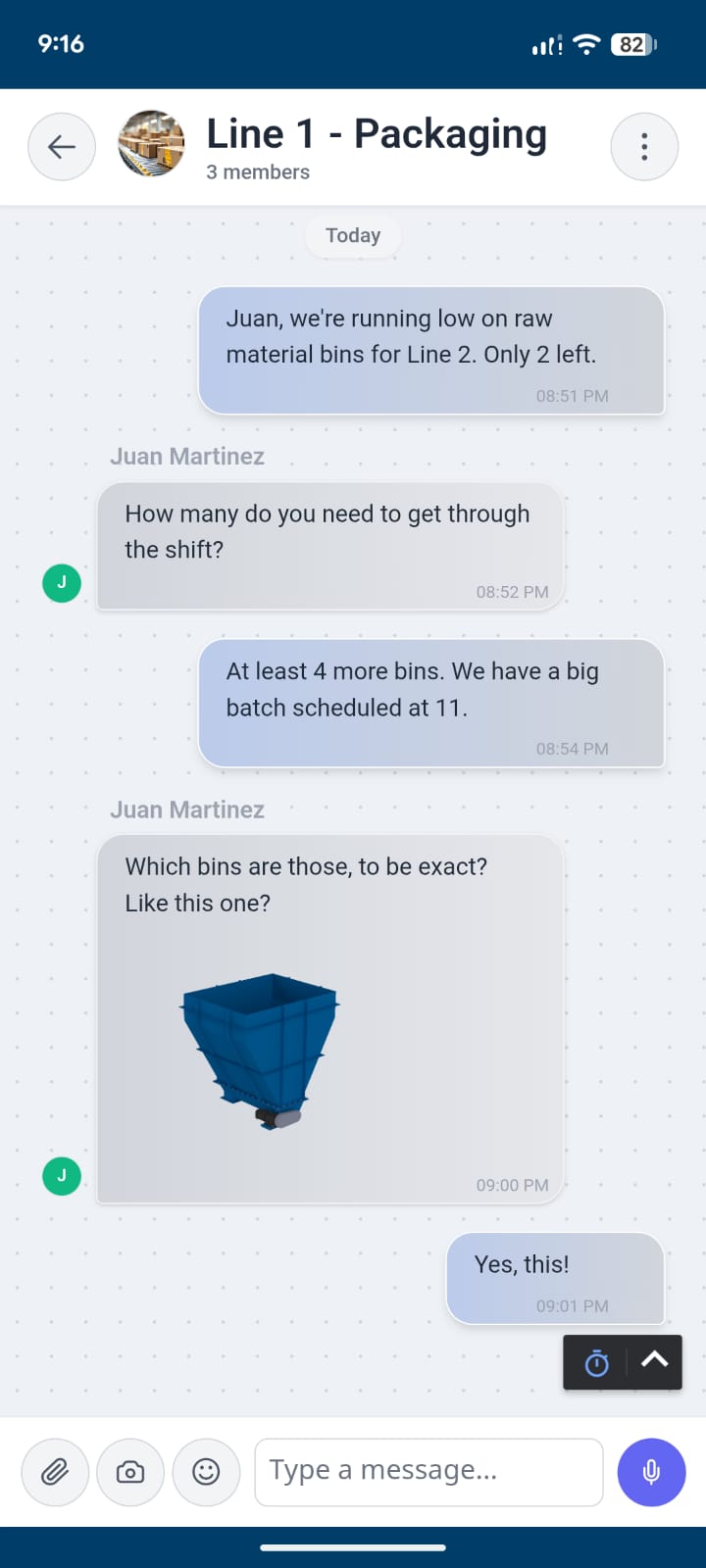
Mobile View
Features
Everything You Need
Built by integrators who understand plant floor communication
Real-Time Messaging
Messages appear instantly. Reply, forward, edit, or delete - all the tools you need for fast communication.
Voice & Video Calls
Start a voice or video call with any teammate right from a chat. Works on desktop, tablets, and phones.
User & Role Management
Create users, assign roles, and manage your Ignition user source from a built-in Perspective admin view.
Role-Based Groups
Built-in groups for Maintenance, Operators, and more. Based on your existing Ignition user roles.
Custom Groups
Admins can create custom chat groups with specific users for projects, areas, or teams.
Searchable History
Every message is logged. Admins can search, filter, and review chat history for documentation or audits.
Content Moderation
Built-in profanity filter with customizable whitelist and blacklist. Keep it professional.
Any Device
Works on HMIs, tablets, and workstations. Any device that can access your Ignition server.
Getting Started
How It Works
Get your team communicating in three simple steps
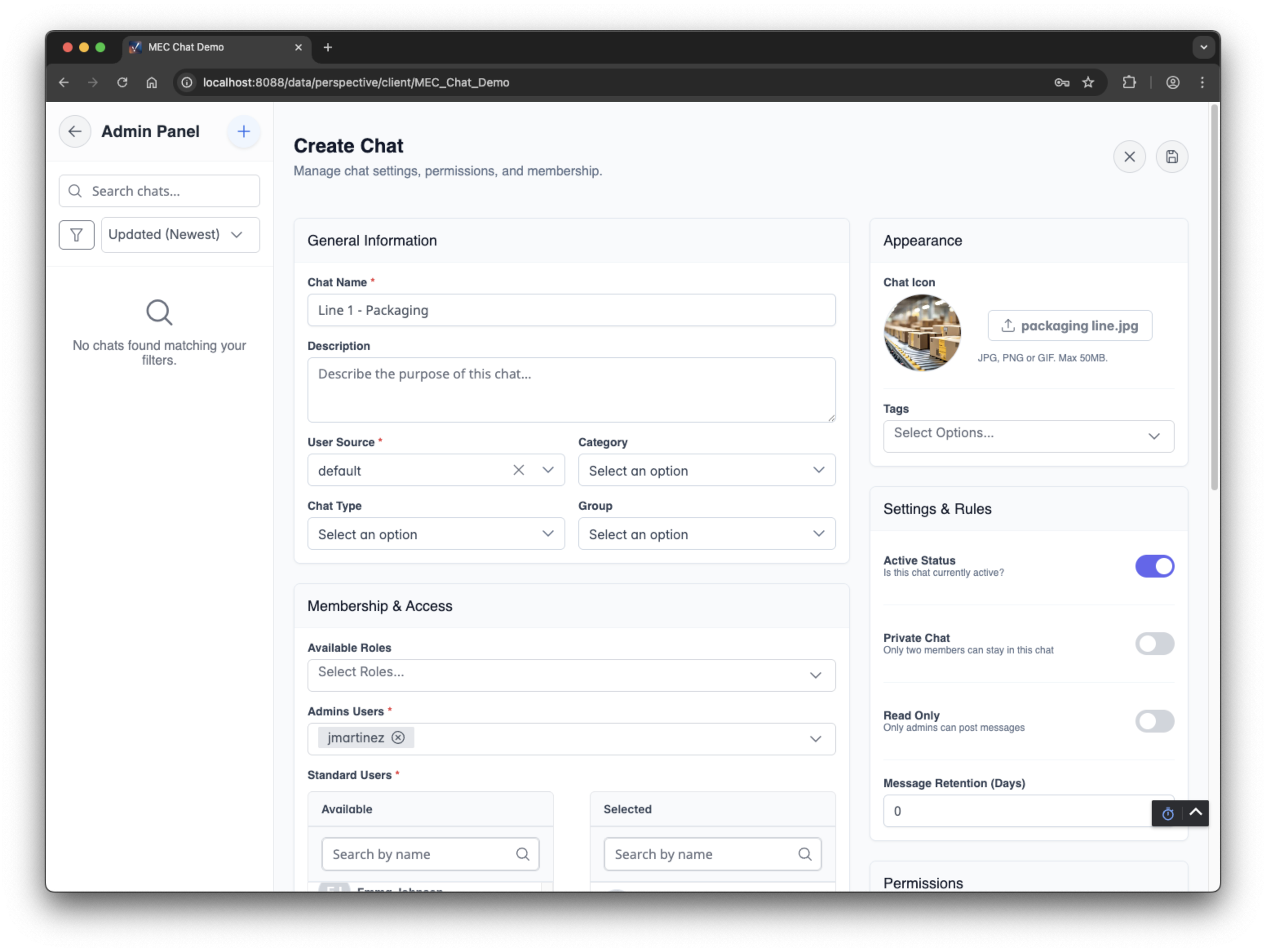
Create a Chat
Admins create chat groups for teams, departments, or projects. Set a name, description, and configure permissions.
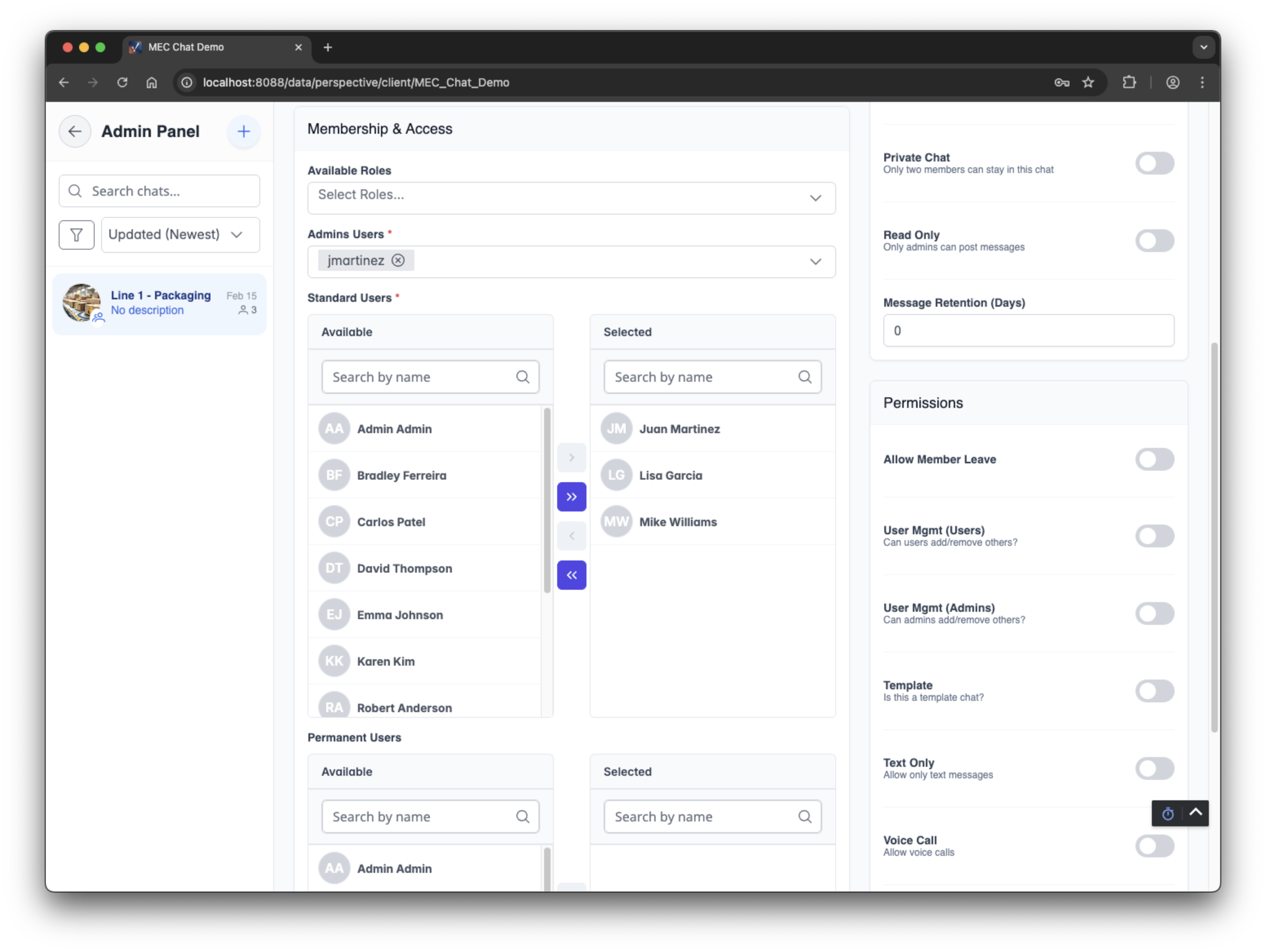
Add Members
Select users from your Ignition user list or add entire role groups. Control who can see and participate in each chat.
Start Communicating
Team members see the chat on their HMI screens. Send messages, share photos, and coordinate in real-time.
Use Cases
Built for the Plant Floor
Shift Handoffs
Document what happened, what's pending, and what to watch.
Maintenance
Operators flag issues. Maintenance responds. Everyone stays informed.
Incidents
Chat history becomes your incident report. Timestamped and complete.
Coordination
Coordinate across areas without leaving your station.
Pricing
Simple, One-Time Purchase
One license per Ignition server. No recurring fees required.
Crew Chat for Ignition
Per Ignition Server License
$2,499
$1,499
one-time payment
Save $1,000- Crew Chat module
- License key for your server
- 1 year of updates included
- Installation instructions (~30 min setup)
- Free remote setup assistance
- Email support
License delivered within 24 hours
Technical
Requirements
Ignition Version
Tested on Perspective 8.1.33 through 8.1.52, and 8.3. Other versions may work via custom Jython gateway scripts.
Data Storage
Host locally on-prem or connect to a cloud database. Chat data is stored separately from your Ignition and manufacturing data.
Installation
Adds a chat component to Perspective. Drop it on any page. Setup takes approximately 30 minutes. No internet required.
FAQ
Common Questions
Does Crew Chat require internet access?
Not necessarily. You can host the database locally on your plant network, or optionally connect to a cloud database for remote access. Either way, chat data stays separate from your Ignition and manufacturing data.
Which Ignition versions are supported?
Crew Chat is tested on Perspective 8.1.33 through 8.1.52, and 8.3. For other versions, custom integration is possible using Jython gateway scripts. We can help with this.
How do updates work?
Your purchase includes 1 year of updates. After that, you can optionally subscribe for continued updates. The module continues working indefinitely.
How do I receive my purchase?
Your module and license key will be emailed within 24 hours of purchase (often faster).
Can I try it before buying?
Yes! We offer guided demos where you can try Crew Chat hands-on during a live session. Schedule a demo to see how it works for your use case.
What support is included?
Email support and free remote setup assistance are included. Need custom features? We offer consulting on an hourly or project basis.
Services
Built by Ignition Experts
We specialize in Ignition module development, cloud integrations, and custom Perspective solutions
Remote Setup Assistance
Need help installing or configuring Crew Chat? We'll walk you through it via remote session, included free with every purchase.
Custom Integrations
Need custom chat group logic, integration with other systems, or Jython gateway scripts for non-standard versions? We offer consulting at hourly or project rates.
Schedule a Hands-On Demo
We'll walk you through Crew Chat in a live session where you can try every feature yourself on your own device. See how it works for your specific use case.
Have questions first? Contact us and we'll be happy to help.
Ready to Transform Plant Communication?
Get Crew Chat today and start building better documentation.